Quote and order
Add products or services, use customer-specific prices and identify adjustments directly on the line.
Read the guideProduct overview
Alembic gives commercial, operational and field teams a shared workflow while preserving the controls each role needs.
The commercial core
Prepare the sale, fulfil it and close the balance without rebuilding the same customer and product context at every stage.
Add products or services, use customer-specific prices and identify adjustments directly on the line.
Read the guideCarry confirmed demand into stock-aware preparation and delivery workflows.
Read the guideIssue the invoice after pricing is resolved and record customer receipts against the remaining balance.
Read the guidePricing with context
Maintain customer prices in Alembic Web and reuse them at quote, order and invoice stages. A line adjustment can stay on the document or become the customer’s permanent item price. Go displays agreements; editing stays in Web.
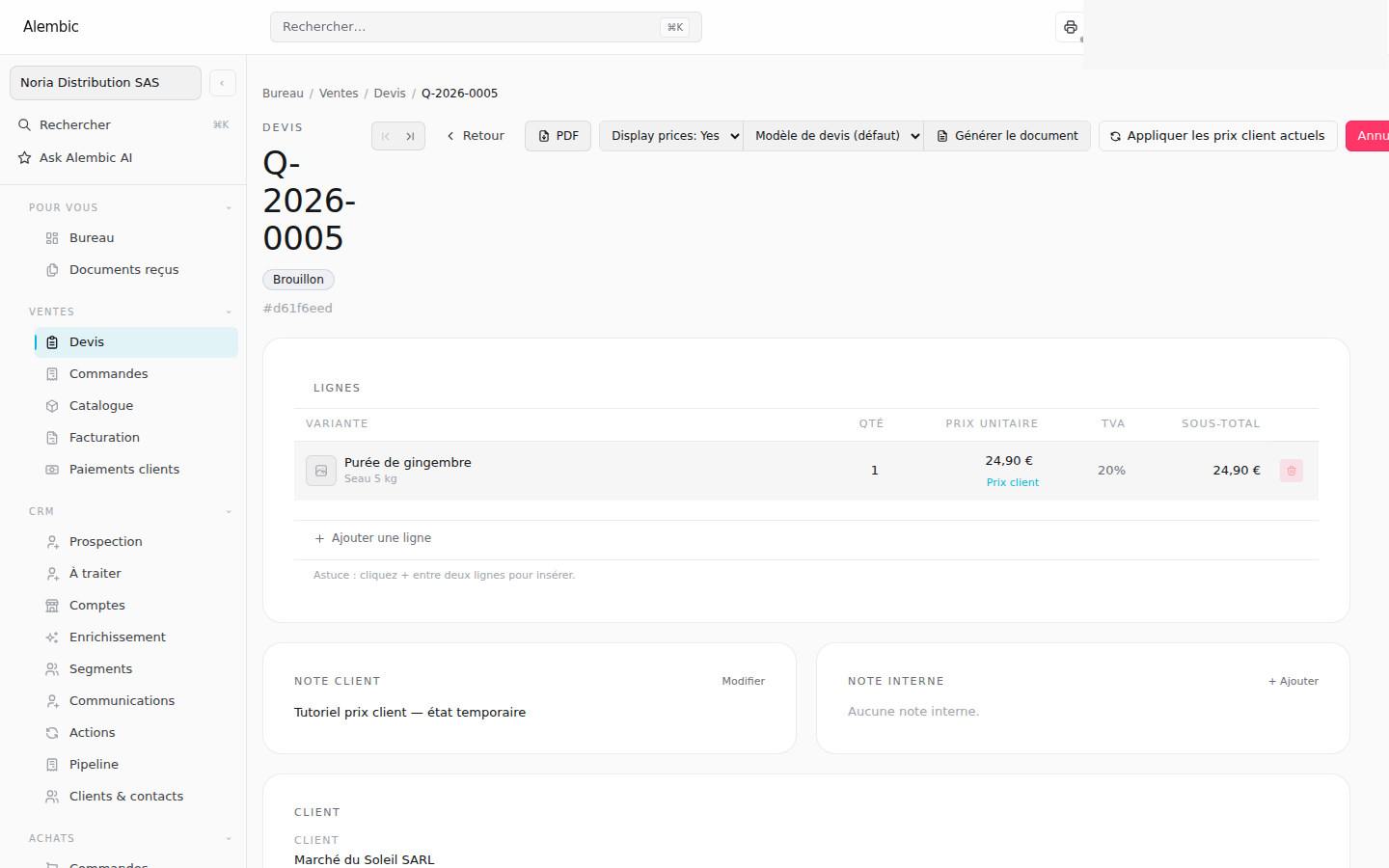 Synthetic demo
Work where the work happens
Alembic Go exposes focused operational actions without bringing the entire back office onto a phone.
Select a customer, resolve a barcode to its exact pack in a sales-line selector and build an order with the applicable price.
Read the guideWork with order lines and quantities while price visibility follows each person’s permissions.
Read the guideConfirm assigned delivery work from a mobile interface and retain the commercial history.
Read the guideAccess and collaboration
Selling prices, costs and margins have separate permissions. Connected businesses receive their own documents without access to the sender’s internal workspace.
Staff can work on drafts with prices hidden. Showing margins requires selling-price, cost and margin permissions together.
Read the guidePublish document versions to the receiving business, retain delivered history and stop future sharing when a relationship ends.
Read the guide