Alembic Web tutorial

Create and reuse a customer price.

Create an agreed item price, identify it on a quote and save an adjusted amount for future sales.

Fictional Noria Distribution demo · Silent recording with French and English captions. The recorded interface is in French; full instructions follow below.

The steps, one by one.

01

Open the selected customer’s prices

Create a quote, select Marché du Soleil, then open Prix client. Use Ajouter un prix for Purée de gingembre · Seau 5 kg and save €24.90 per pack (EUR, excluding tax). Changes apply to new lines; use Appliquer les prix client actuels to explicitly refresh existing lines.
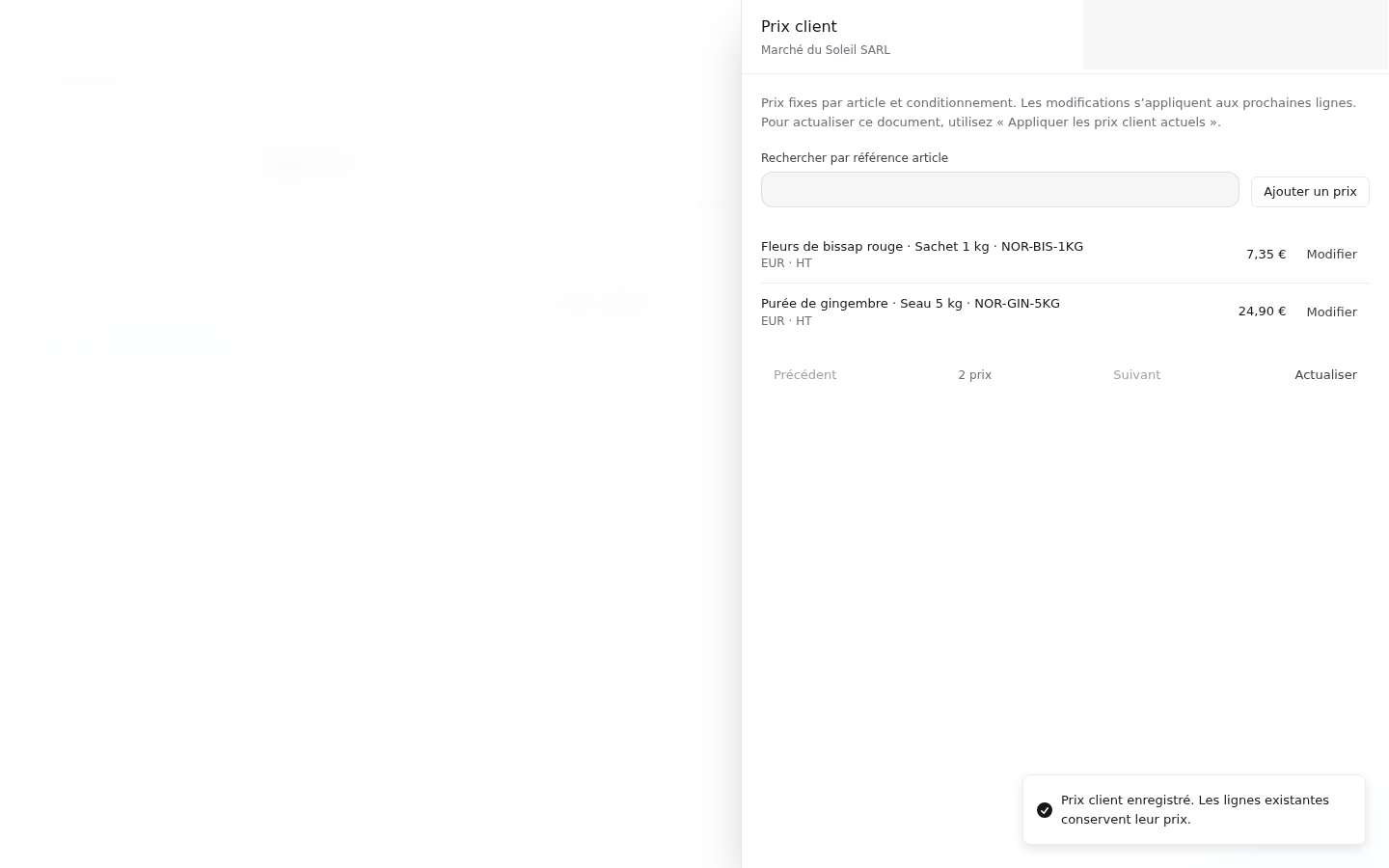
Customer pricing drawer with the saved €24.90 ginger pack agreement
02

Apply and identify the agreed price

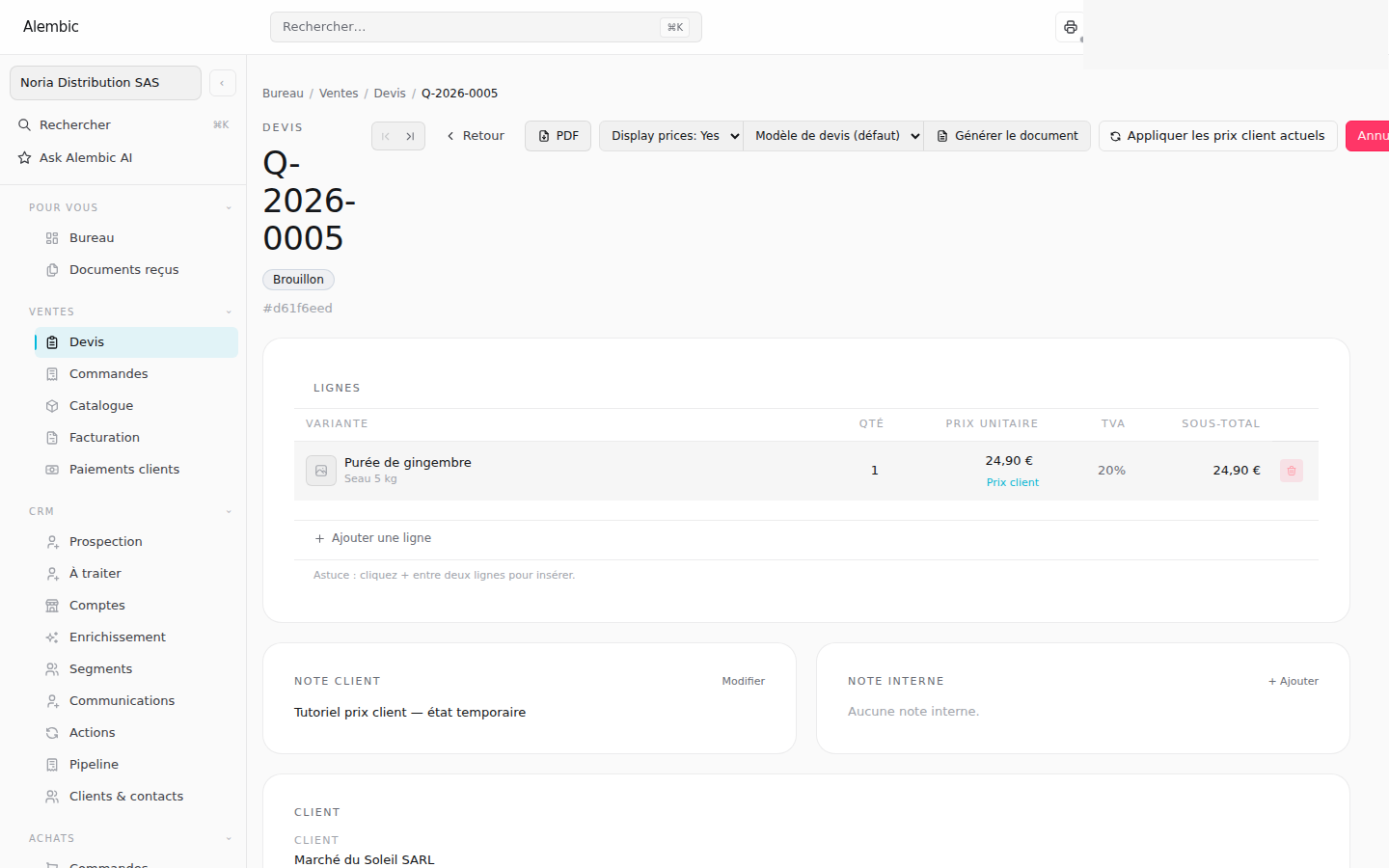
Add the ginger pack to the quote. Its unit price is €24.90 and the line shows Prix client. Changing the line price to €25.50 creates an adjustment for this document only.

Quote line with the customer price label beside the unit price
03

Keep the adjustment for future documents

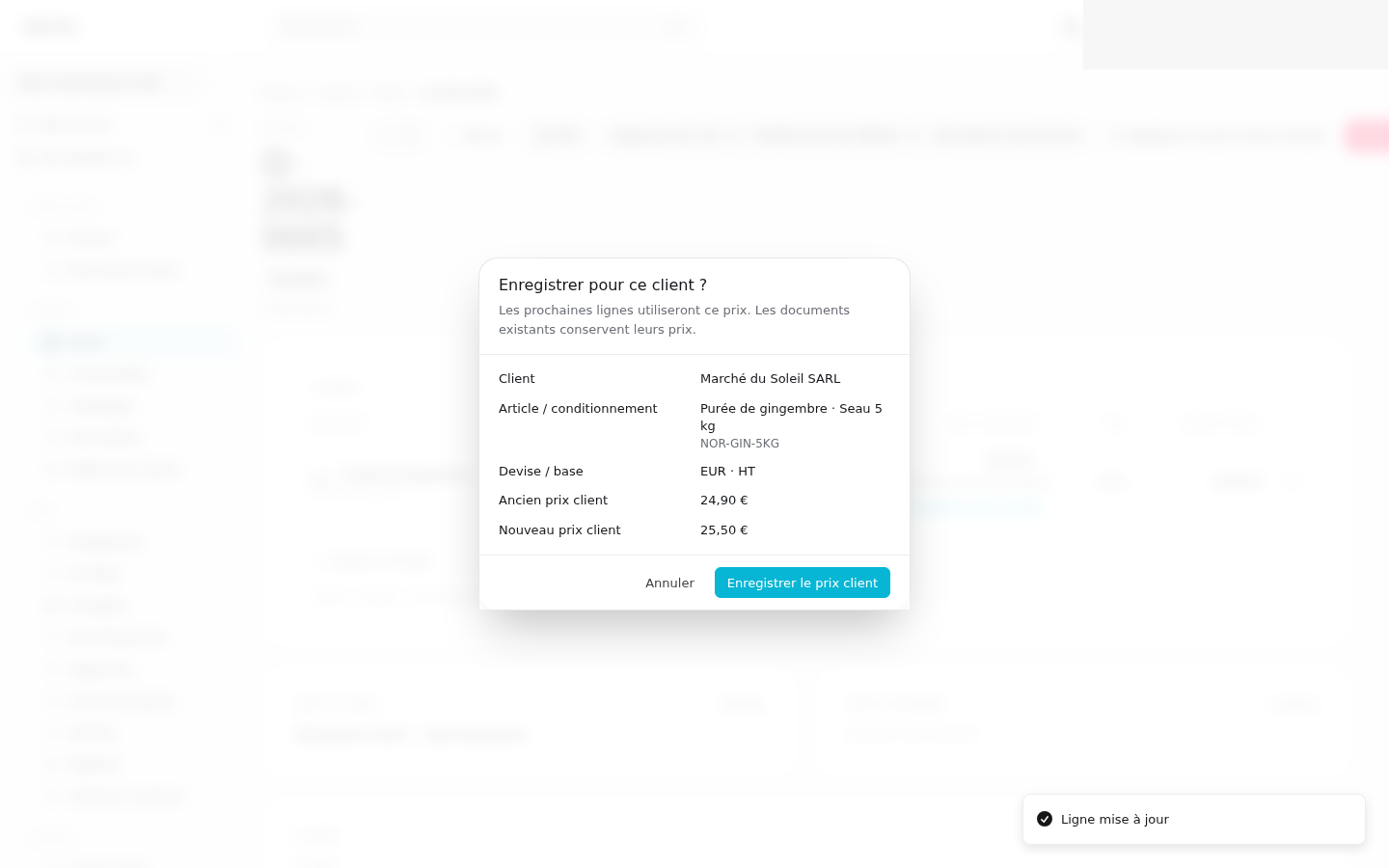
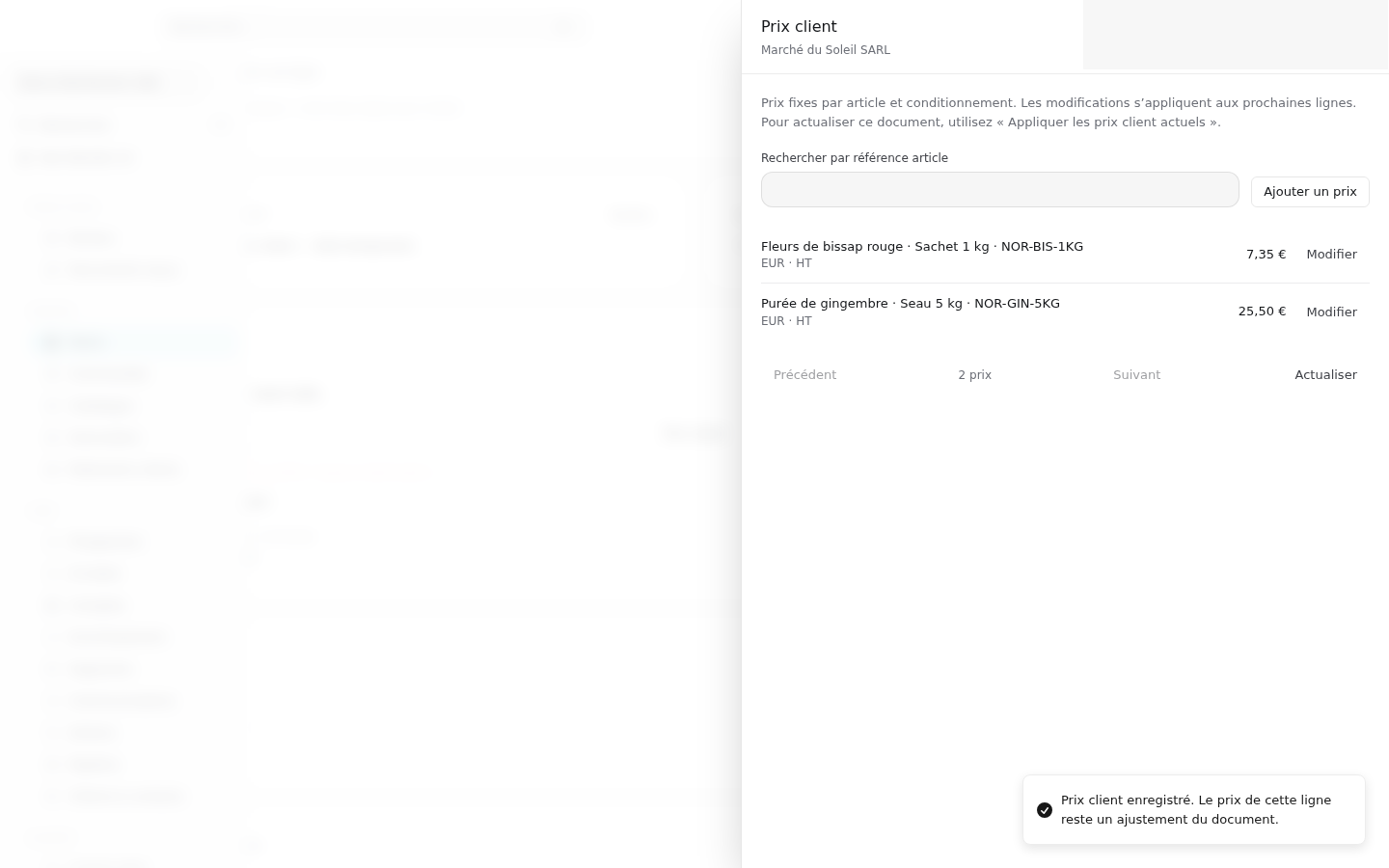
Choose Enregistrer pour ce client beside the adjusted line. Check the customer, pack, currency and old/new amounts, then confirm Enregistrer le prix client. New lines use €25.50; existing documents keep their recorded prices. Reopen Prix client to verify the new amount.

Confirmation comparing old €24.90 and new €25.50 customer pack pricesThe updated permanent customer price

Continue with the guides.

Documentation